
Gate Won’t Open or Close: Safe Checks Before You Call
Simple checks for an automatic gate that has stopped working, and the signs that it needs a technician.
Most gates that stop working have a plain cause: no power, a flat remote battery, or something in the way of the sensors. This guide walks you through the checks that are safe to make yourself, in order, and shows where the problem becomes one for a technician.
Safety First
An automatic gate is heavy and moves with force. Switch the opener off before you touch the gate, its track or its hinges. Keep children, pets and cars clear, never reach through the gate or stand in its path while it can move, and never drive through a gate that is moving. Leave the inside of the operator and the control box closed.
Find the Likely Cause
Pick what the gate is doing, answer three quick questions, then press the button.
Pick a symptom, answer the questions, then press Show Likely Causes.
Safe Checks, in Order
Work down this list, with the opener switched off for any step that puts your hands near the gate.
- Confirm power. Look for a light on the operator or the control box. If there is none, check the opener’s power switch, the breaker, and any outlet with a reset button.
- Check the remote battery. Press the remote and watch its light. If it stays dark or dim, fit a new battery. If the keypad or a second remote still opens the gate, the first remote was the problem.
- Clear obstructions and ice from the path. Bins, branches and gravel all stop a gate. In winter, look for ice in a sliding gate’s track, packed snow under a swing gate, and plowed snow banked in its path. Chip ice away by hand rather than running the opener against it.
- Inspect the photo eyes. Wipe both lenses with a soft cloth and check they still face each other. Most have a small indicator light that shows when the beam lines up. Low morning or evening sun can blind an eye for part of the day.
- Try the manual release. With the power off, release the gate and move it slowly by hand. If it moves freely, the trouble is likely in the opener. If it drags or binds, it is in the gate itself: the hinges, wheels or track. Lock the release back in afterwards.
- Observe the motion. Switch the power back on and watch one full cycle from a safe distance. Note where it stops, any noise it makes, and whether it reverses. Those details tell a technician a lot.
Symptoms, Causes and What to Do
The same checks, sorted by what the gate is doing. Michigan winters add a row of their own.
| Symptom | Likely cause | What you can check safely | When to call a pro |
|---|---|---|---|
| Nothing happens, no sound or lights | No power: a switch, a tripped breaker or outlet, a blown fuse | The power switch, the breaker, and any outlet with a reset button | The power is on and the opener still shows no sign of life |
| The motor hums but the gate stays put | The manual release left open, a broken arm bracket or worn gears | That the release is locked back in | The release is locked and the gate still will not move |
| It opens but will not close | A photo eye blocked or out of line, or a car near an exit loop | Wipe both lenses, look for steady indicator lights, move anything parked near the gate | The eyes look clean and lined up and it still will not close |
| It stops part way in winter | Ice or packed snow in the track or under the gate, or a plow bank in its path | Shovel the path, chip ice away by hand, keep plowed snow off the track | It still drags with the path clear; a post heaved by frost may be pushing it out of line |
| The remote works only up close | A weak battery, a damaged antenna, or interference | A fresh battery, then a test from a few steps away | The keypad works and a new battery does not help |
| The opener beeps and will not run | A safety lockout after the gate met something, or a low backup battery | Clear the path, then reset the opener the way its manual describes | The alarm comes back with nothing in the way |
What to Note Before You Call
If the checks do not solve it, a few details help us understand the gate before we come out:
- Swing or sliding, one leaf or two.
- What it does: stuck open, stuck closed, stops part way, reverses, or makes a new noise.
- When it started, and anything that happened just before, such as a storm, a power cut or a bump from a car.
- Any lights or beeps on the opener, and how many beeps in a row.
- Which checks above you made, and what changed.
- The opener’s make and model, if a label is easy to read.
Where Your Checks Should Stop
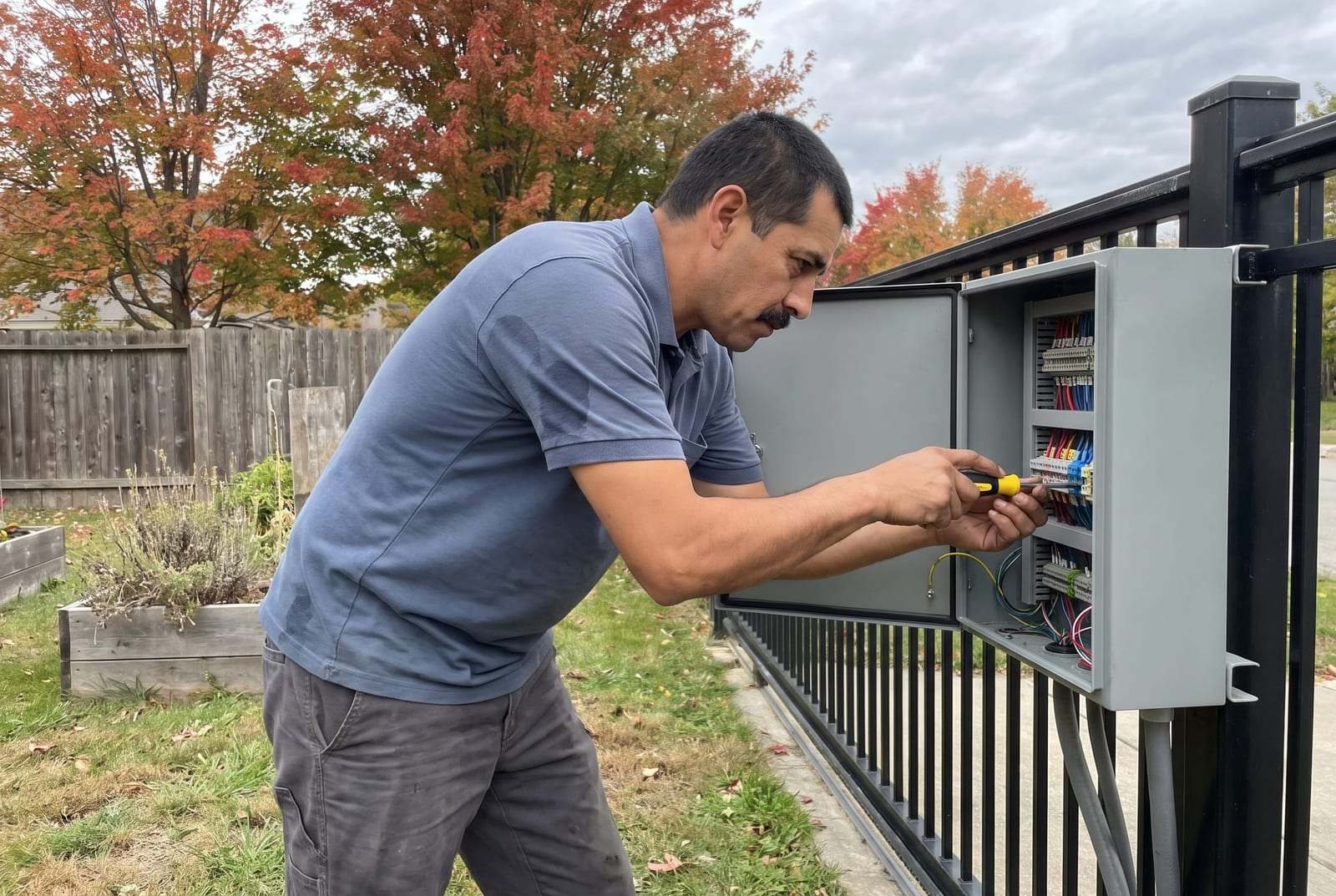
Leave the inside of the operator and the control box to a technician. Boards, wiring, limit settings and force settings all decide how safely a gate stops and reverses, and a wrong adjustment can make a heavy gate dangerous.
The same goes for a broken hinge, a sliding gate that has come off its track, or a post that has moved. Leave the gate where it is, keep people clear and call us. We troubleshoot wiring and control boards, and replace the hinges, rollers and tracks that make gates drag or stall.
Stuck Gates, Beeping and Weak Remotes
The gate is stuck halfway. Can I push it the rest of the way?
Not against the motor. Switch the opener off, use the manual release, then move the gate slowly by hand. If it still will not move freely once released, something is binding, such as a hinge, a wheel or the track, and forcing it can bend the frame.
Why does my gate opener keep beeping?
On many operators the beeping means the gate met an obstruction, often twice in a row, and the opener has stopped as a safety measure. It can also mean a sensor fault or a low backup battery. Clear the path and reset the opener; if the beeping comes back with nothing in the way, call us.
My remote only works when I am right at the gate. Why?
Start with the remote’s battery, since a weak one is the usual cause. If a fresh battery does not help, the receiver’s antenna may be loose or damaged, or new lights or electronics nearby may be interfering with the signal.
Can I disconnect the photo eyes so the gate will close?
No. The photo eyes and other safety devices stop a heavy gate from closing on a person, a pet or a car, and most operators will not run normally without them. Clean and line them up, and call us if they still fault.
Checked the basics and the gate still will not move? Call us and we will set a time to come look.